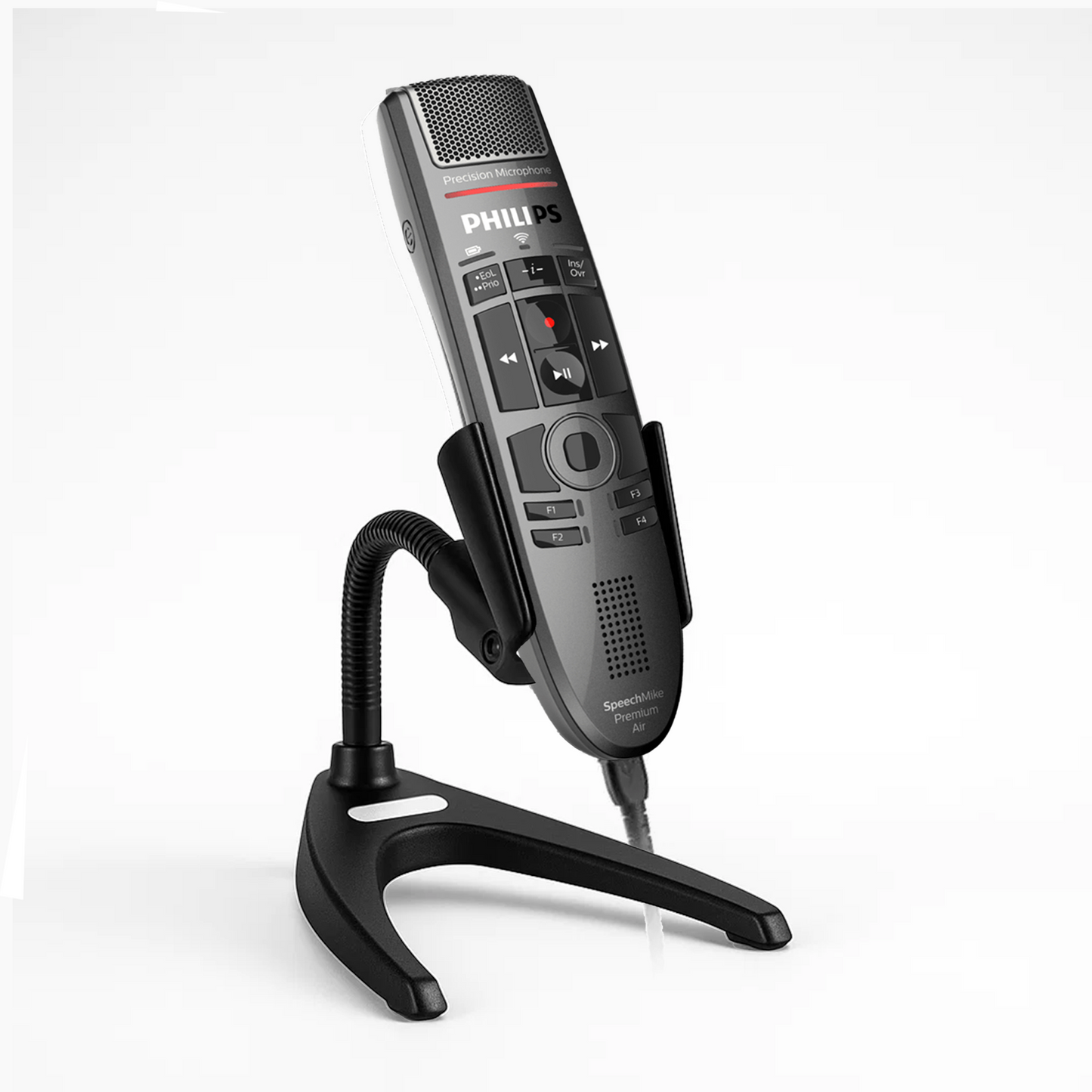
Philips SpeechMike Premium Touch SMP3700 USB microphone
Philips SpeechMike SMP3700
Regular price
$338.00
Sale price
$338.00
Regular price
$469.00
Unit price
per
Couldn't load pickup availability
- Free 2nd Day Air
- Free 30-Day Returns
- US Based Experts
407 in stock
Keep dictation and cursor control in one hand at your workstation. The Philips SpeechMike Premium Touch SMP3700 connects by USB and pairs push-button recording controls with a touchpad, so you can speak, navigate and review a recording without repeatedly reaching for a separate mouse.
Why choose the SMP3700?
- Push buttons for frequent dictation: Dedicated recording and playback controls suit short notes, reports and correspondence where you want to start and stop with a button press.
- Touchpad navigation: Move the cursor from the handset while working in your document or dictation application. Choose this model if you prefer touch navigation to a physical trackball.
- Less handling noise: A microphone capsule decoupled from the housing and an integrated pop filter help reduce noise from handling and close speech.
- Programmable workflow: Configure function keys for supported application commands through Philips SpeechControl or your application's device integration.
Useful specifications
| Connection | Wired USB 2.0 Type-A connection to the computer; compatible with USB 3.0 ports |
|---|---|
| Recording controls | Push-button operation; recording, playback and programmable function keys |
| Cursor control | Touch sensor / touchpad with mouse functions |
| Microphone | Directional electret condenser capsule, decoupled from the housing; integrated pop filter |
| Playback | Built-in speaker |
| Cable and weight | 2.5 m cable; 200 g including cable |
Applications and setup
The SMP3700 can supply audio to Dragon Medical One (DMO), Nuance Dragon Professional 16 and Dragon Professional Anywhere. Use a supported Windows workstation for DMO and match other applications to their own operating-system requirements.
Philips SpeechLive supports the SMP3700 for browser dictation. Set up hardware control in Chrome or Edge using Philips Device Connector and Event mode, or use SpeechLive's documented browser connection. Audio selection, recording commands and programmable buttons are separate setup steps. Philips provides SpeechControl for Windows and macOS, with some Mac functions limited; remote desktops need the corresponding device integration.
Philips SpeechControl drivers and configuration tools are free downloads. Paid dictation and speech-recognition applications are purchased separately; this hardware offer includes no paid license or subscription.
Compare your options
Compare all Philips SpeechMike models.
- Prefer a slide switch for recording, stop, play and rewind? Choose the wired SMP3710. View SMP3710.
- Prefer a physical trackball to a touchpad? Compare the LFH3500. View LFH3500.
- Want a wireless handset with push buttons? Compare the SMP4000. View SMP4000.